 Cerca Foto
Cerca Foto
Cerca Foto
Un'app iOS nativaA native iOS app
L'applicazione nasce dal desiderio di accedere ad alcune funzioni in modo rapido ed efficace permettendo ad utenti privati e professionisti (avvocati, commercialisti, artigiani, agenti, venditori, etc) di ottenere il meglio dalle proprie foto.
The app was born from the desire to access certain features quickly and effectively, helping both private users and professionals (real estate agents, sales reps, etc.) get the most out of their photos.
Cosa fa l'appWhat the app does
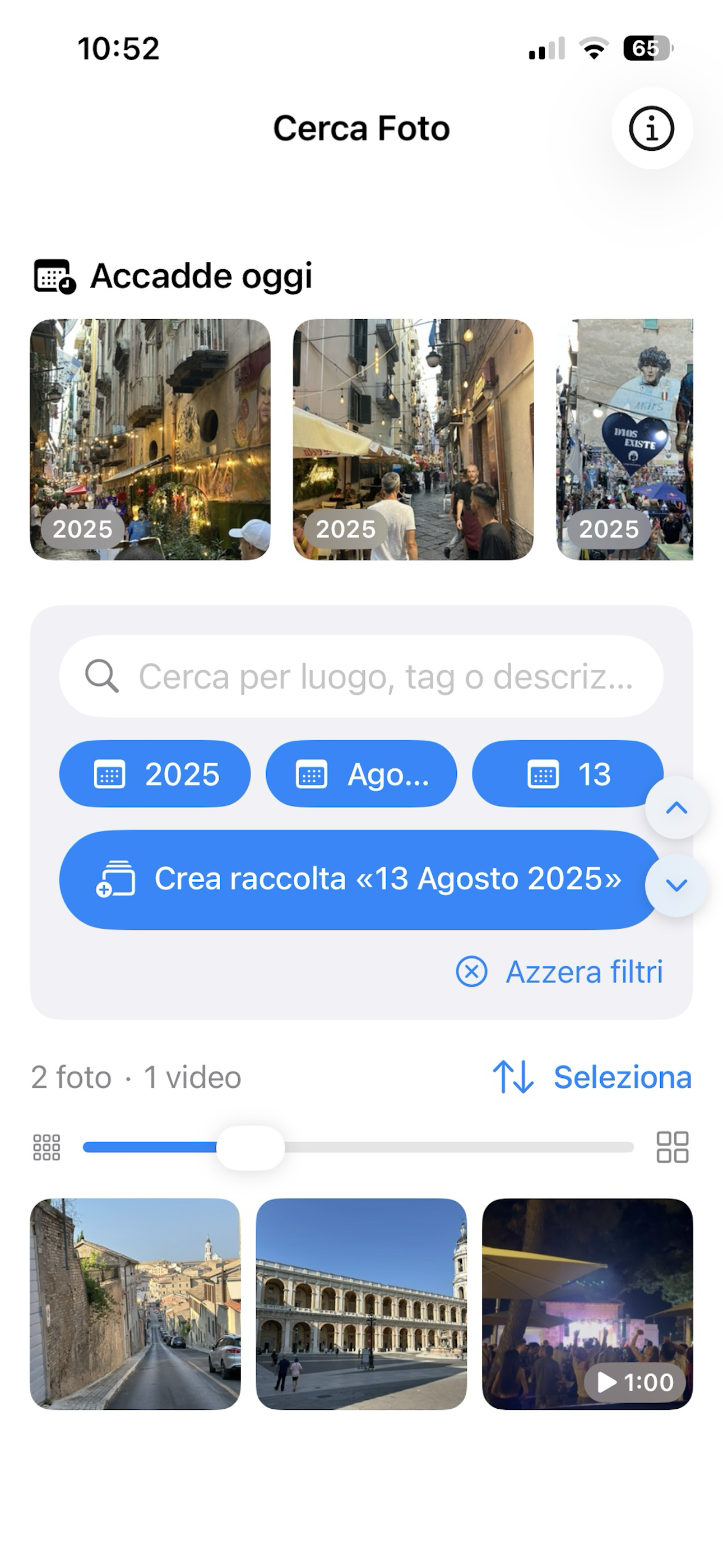
Cerca foto è pensata per aiutarti ad utilizzare al meglio i tuoi scatti. Oggi le foto vengono utilizzate non solo per immortalare momenti della nostra vita, ma anche per prendere nota di codici, numeri di targa, luoghi, documenti, etc. Quindi, diventa fondamentale poter risalire rapidamente alle foto e/o creare dei documenti PDF. La ricerca delle foto risulta molto efficace poichè consente di utilizzare differenti parametri di ricerca: il luogo dello scatto (ad esempio, Milano), una data, un tag, etc.
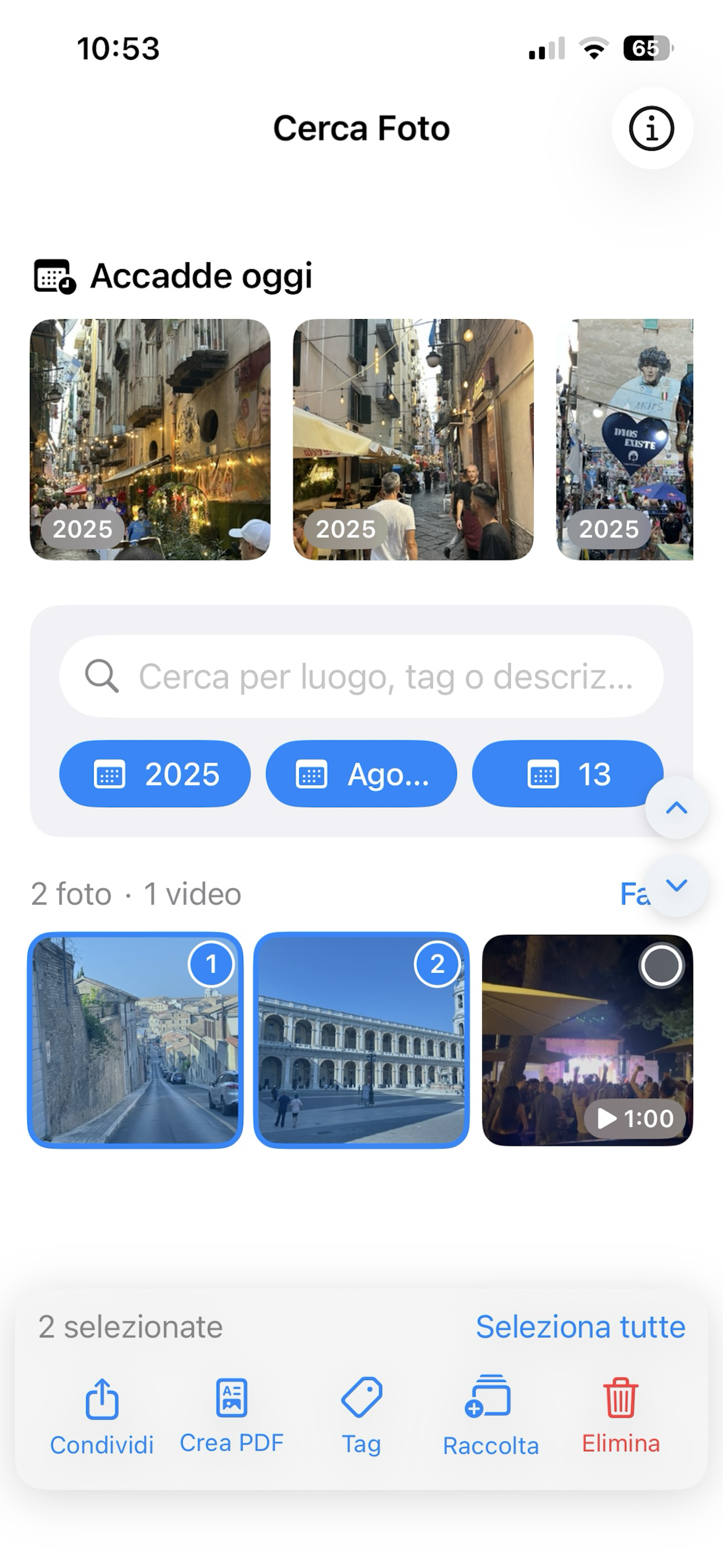
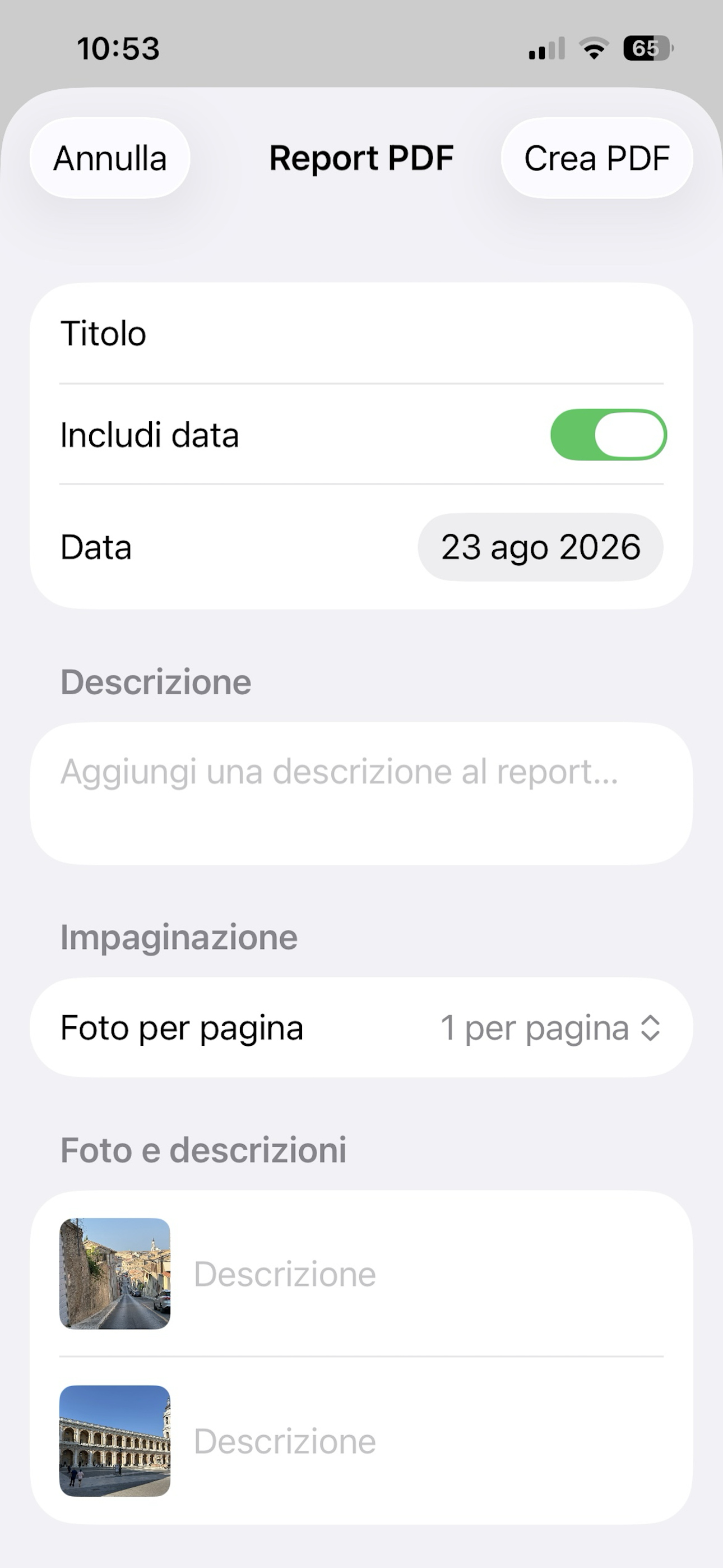
Un agente immobiliare potrà selezionare le foto di un immobile presenti nella sua galleria, scegliere "Crea PDF" e si aprirà una nuova schermata dove potranno essere inseriti un titolo (ad esempio, Trilocale da ristrutturare"), una breve descrizione dell'immobile e una descrizione per ciascuna foto selezionata (ad esempio, Cucina, Camera, Cameretta, Bagno, etc). Una volta creato il PDF potrà essere inviato ad un cliente o salvato sul device. Inoltre, potrà creare delle raccolte con foto degli immobili e documenti per ciascun immobile/cliente.
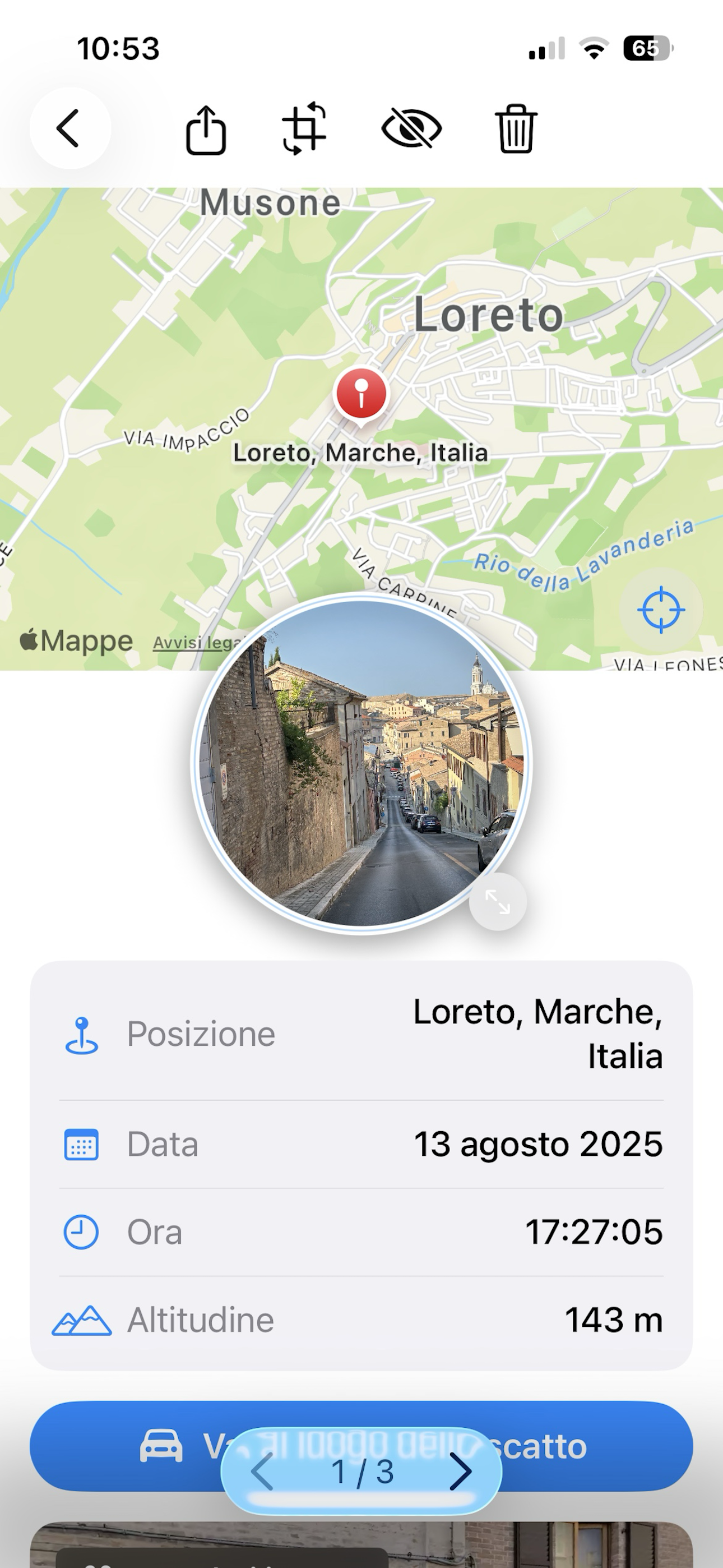
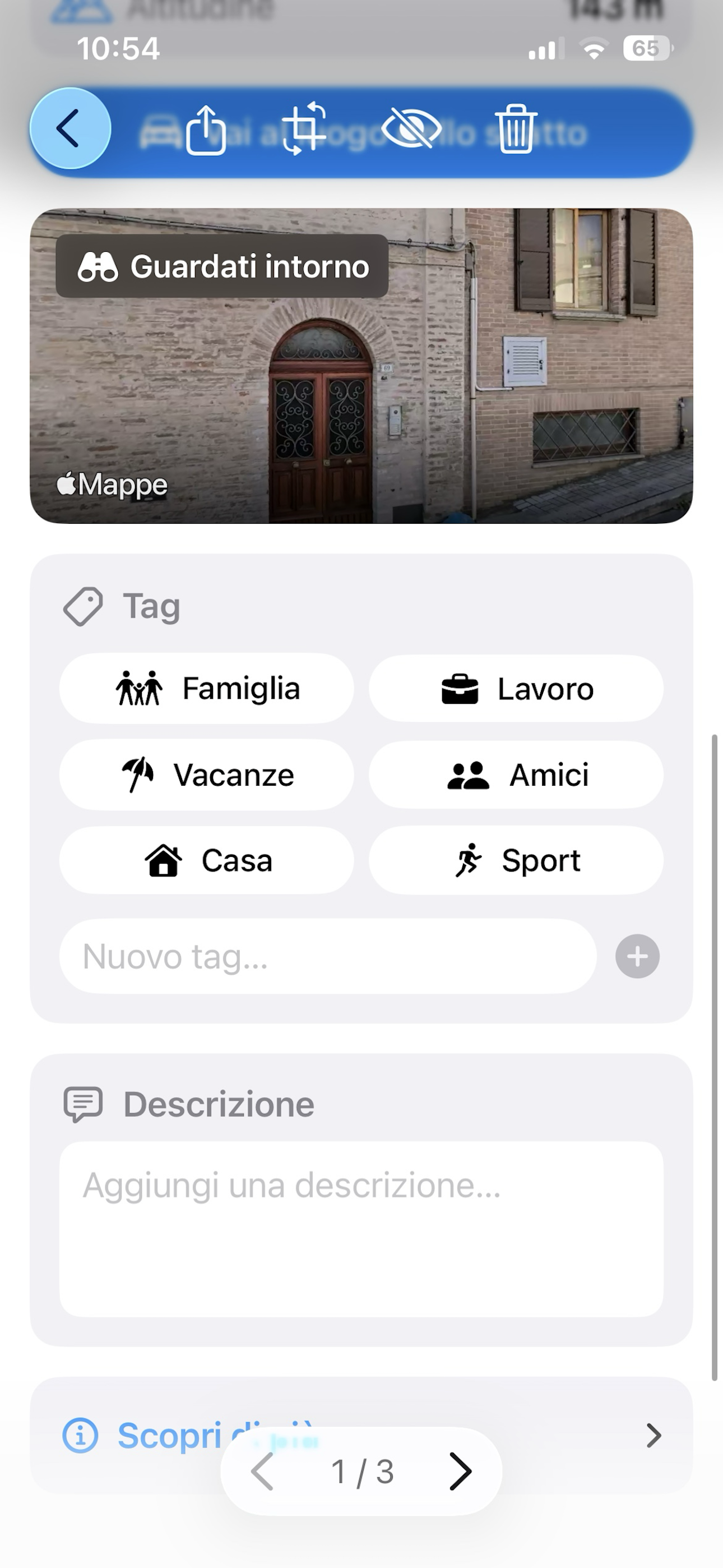
Scegliendo una foto si potrà accedere ad una pagina di dettaglio dove saranno riportate diverse informazioni associate alla foto:
NB: alcune informazioni non sono disponibili per gli screenshot o foto provenienti da altri device
Cerca Foto is designed to help you make the most of your photos. Today photos aren't just used to capture life's moments — they're also used to jot down codes, license plates, places, documents, and more. That's why being able to quickly find photos again, or turn them into PDF documents, becomes essential. The search is very effective because it lets you use different search parameters: the place where the photo was taken (e.g. Milan), a date, a tag, and more.
A real estate agent can select the photos of a property from their gallery, choose "Create PDF", and a new screen will open where they can enter a title (e.g. "Two-bedroom apartment to renovate"), a short description of the property, and a description for each selected photo (e.g. Kitchen, Bedroom, Kids' Room, Bathroom, etc.). Once created, the PDF can be sent to a client or saved on the device. You can also create collections with photos and documents for each property or client.
Selecting a photo opens a detail page showing several pieces of information associated with it:
NB: some information is not available for screenshots or photos coming from other devices
Tramite il tasto "Vai al luogo dello scatto" potrai raggiungere rapidamente il luogo in cui è stata scattata la foto senza specificare alcun indirizzo. In questa schermata vengono visualizzate anche le informazioni associate a ciascuna foto: posizione in cui è stata scattata la foto, la data e l'ora in cui è stata scattata e l'altitudine
With the "Go to location" button you can quickly reach the place where a photo was taken without entering any address. This screen also shows the information associated with each photo: where it was taken, the date and time, and the altitude.
Cerca foto è pensata per consentire a privati e professionisti (agenti, venditori, etc) di creare file PDF con le proprie foto. Per ogni PDF sarà possibile specificare: un titolo, una descrizione per il documento e per ciascuna foto creata.
Cerca Foto lets both private users and professionals (agents, sales reps, etc.) create PDF files from their photos. For each PDF you can specify a title, a description for the document, and a description for each photo included.
Cerca Foto consente di effettuare ricercare le proprie foto per:
Cerca Foto lets you search your photos by:
ScreenshotScreenshots
Sei schermate che raccontano l'esperienza dall'inizio alla fine.
Six screens that walk you through the whole experience.
Scaricala ora, è disponibile su App Store.
Download it now, available on the App Store.